
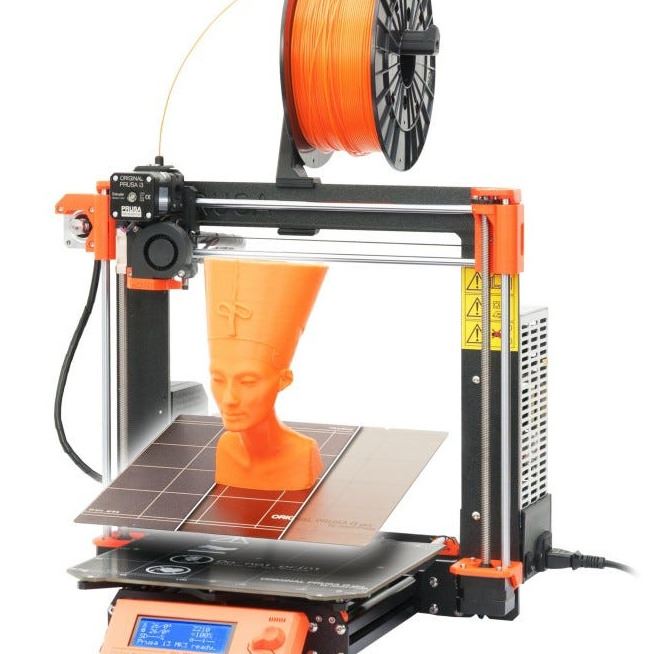
3D printing is a form of technology that uses a digital model to build a physical object by adding material layer by layer.
The WonderLab has two reservable Prusa i3 MK3s 3D printers. The Prusa i3 MK3s printers have a maximum print space of 9.84" × 8.3" × 8.3". You must complete required training to use these printers, including watching this video:
Download Free 3D Print Files
To print, you will need a 3D model in a .stl file format. If you are looking for ideas or free files to download, check out the following sites:
Create Your Own 3D Print Files
Interested in learning more about how to design a 3D print file?
Tinkercad is a free browser-based software with a great collection of tutorials to get started.
Fusion 360 is available for hobbyists free of charge. Check out Udemy, a free library resource with hundreds of classes, including an introduction to Fusion 360.
Learn More About 3D Printing
Cost
- Filament used in the WonderLab 3D printers costs $0.10 per gram.
- If emailing .GCODE file, in addition to telling us what filament color you would like, please also include total grams of filament used (you can find this information on the lower right hand corner of the screen after slicing your model).
- If slicing a file in person, we can check to make sure the filament usage looks accurate.
- Your library card will be charged for the 3D print. You do not have to pay it immediately, but it will go on your account before printing starts, and your card will be blocked once you accrue $10 in bills.
- You may also pay with cash prior to the start of the print.
- If a printer error occurs and we need to re-print, you will not be charged again.
- Once a model is sent to WonderLab staff, it will be placed at the end of the print queue. If there are no prints in the queue, the file will be printed the following morning.
- The maximum print time is 8 hours, to ensure that an active print is rarely left unattended.
- Patrons may have one file actively printing or in the queue at a time, to ensure that all patrons get equal access to machines (i.e., if you have a model printing, you must wait until the model is finished and picked up before placing another file in the print queue).
- Only filament provided by the library can be used at this time.
- Prints can only be single color; a limited selection of colors are listed below and in the WonderLab. Please mark two (2) color choices in an email to wonderlab@tclib.org and we will do our best to print your model in the preferred color.
- Prints must be picked up within two (2) weeks of notification.
- To send a print to the print queue:
Email wonderlab@tclib.org with your finished/sliced GCODE file. If there is an error with the file/during the printing process, we will contact you so you can review your file again. In the body of the email, please state your top two color options for your print. You will be notified once your model has been successfully printed and is ready to be picked up. - If a print error occurs as a result of a design error, we will attempt the print twice more before patron will need to re-work their design and submit again.
- Please note, we cannot guarantee the success of any printed model!
Current PLA colors:
- White
- Black
- red
- bright pink